Invite-only beta Luneday is open to invited hosts while we finish building. Ask for an invite

← All help

Ask questions when people book

Add your own questions to the booking form.
Steps

  1. Open your event from Events.

    The Edit event page for Pilates class, marked Fixed sessions.
  2. Choose the Forms tab.

    The event's tabs, with Forms ringed.
  3. The tab lists the questions people answer when they book.
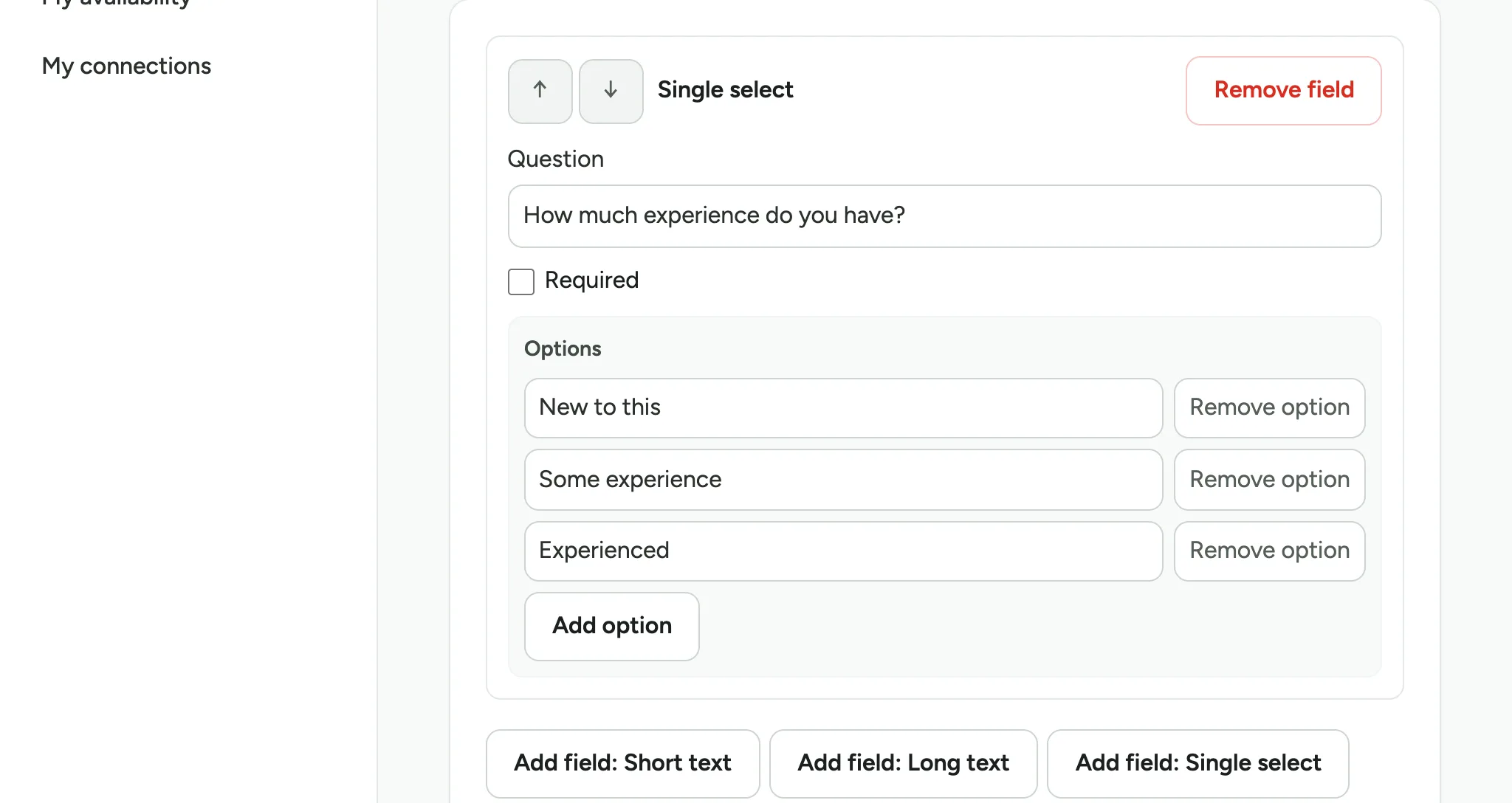
    A Single select question, How much experience do you have?, with three options and a row of Add field buttons below.
  4. To ask people to pick from a list, choose Add field: Single select.

    The row of Add field buttons, with Add field: Single select ringed.
  5. Type your question.

    A new Single select field, with its empty Question box ringed.
  6. Type the answers people can choose from, one in each box.

    The question Do you need to borrow a mat? typed, with the first empty option box ringed.
  7. Type the next answer in the next box. For more answers, choose Add option.

    The first option Yes, please filled in, with the second option box ringed.
  8. Tick Required if everyone must answer.

    A close view of the new question, with the Required tick box ringed.
  9. Choose Save form.

    The bottom of the Forms tab, with Save form ringed.
  10. The form says Form saved.

    The Save form button, with Form saved beside it.
  11. To check, open your booking page and choose a session.

    The public booking page for Pilates class, with the Tuesday 1 December session at 18:00 ringed.
  12. The booking form asks your new question. A star marks a required question.

    The booking form for the chosen session, asking both questions, with a star after Do you need to borrow a mat?.

Updated 15 November 2026.

Related: Run a class or course with fixed sessions · Choose notice, cancellation and gaps

Still stuck? Email hello@luneday.com.