Invite-only beta Luneday is open to invited hosts while we finish building. Ask for an invite

← All help

Build your website

Choose a template, write your words and publish.
Steps

  1. A website comes with the Solo and Teams plans.
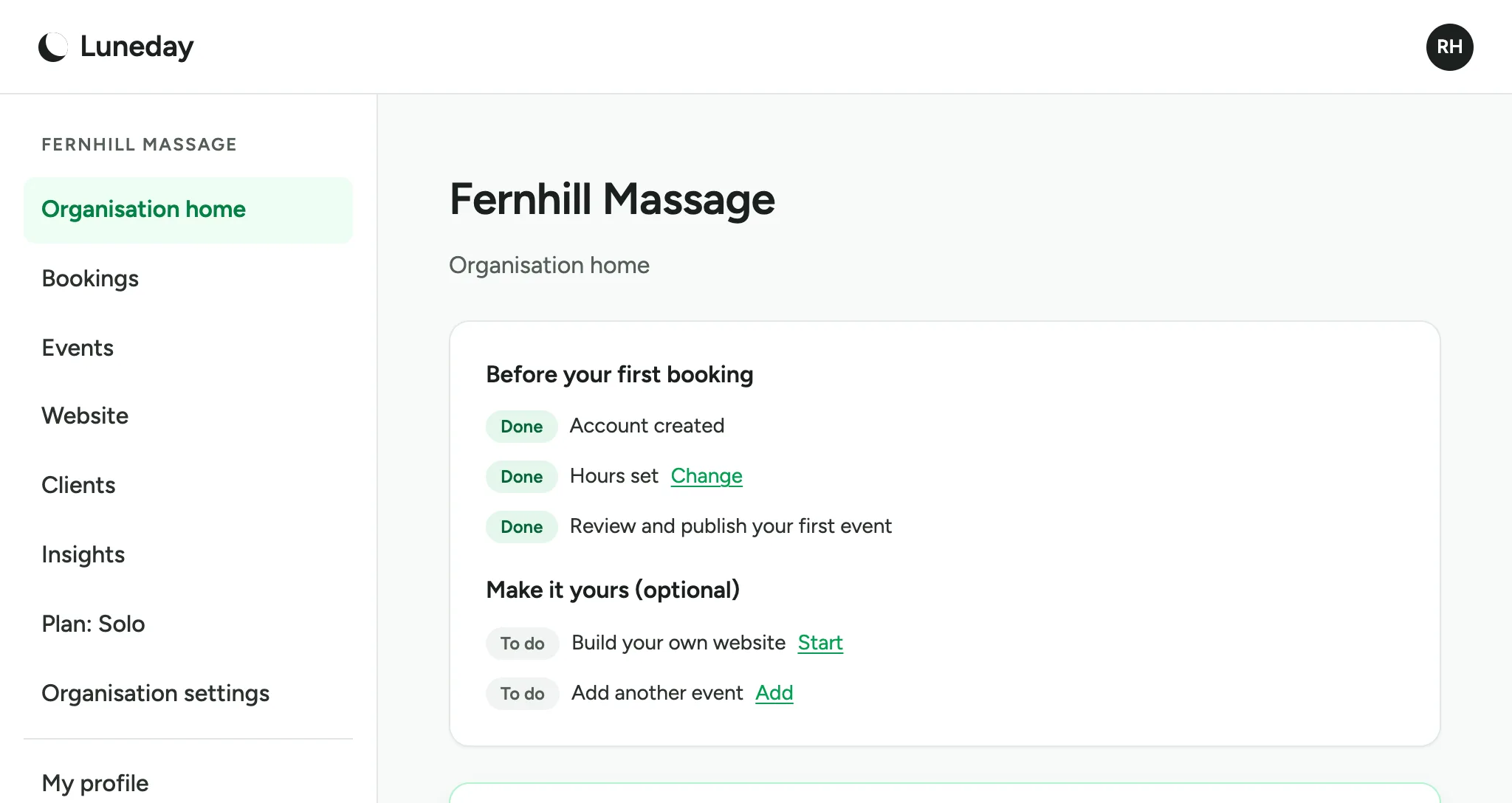
    The organisation home page, with Website in the menu and Plan: Solo below it.
  2. Choose Website. Your site starts with your name and some photos.
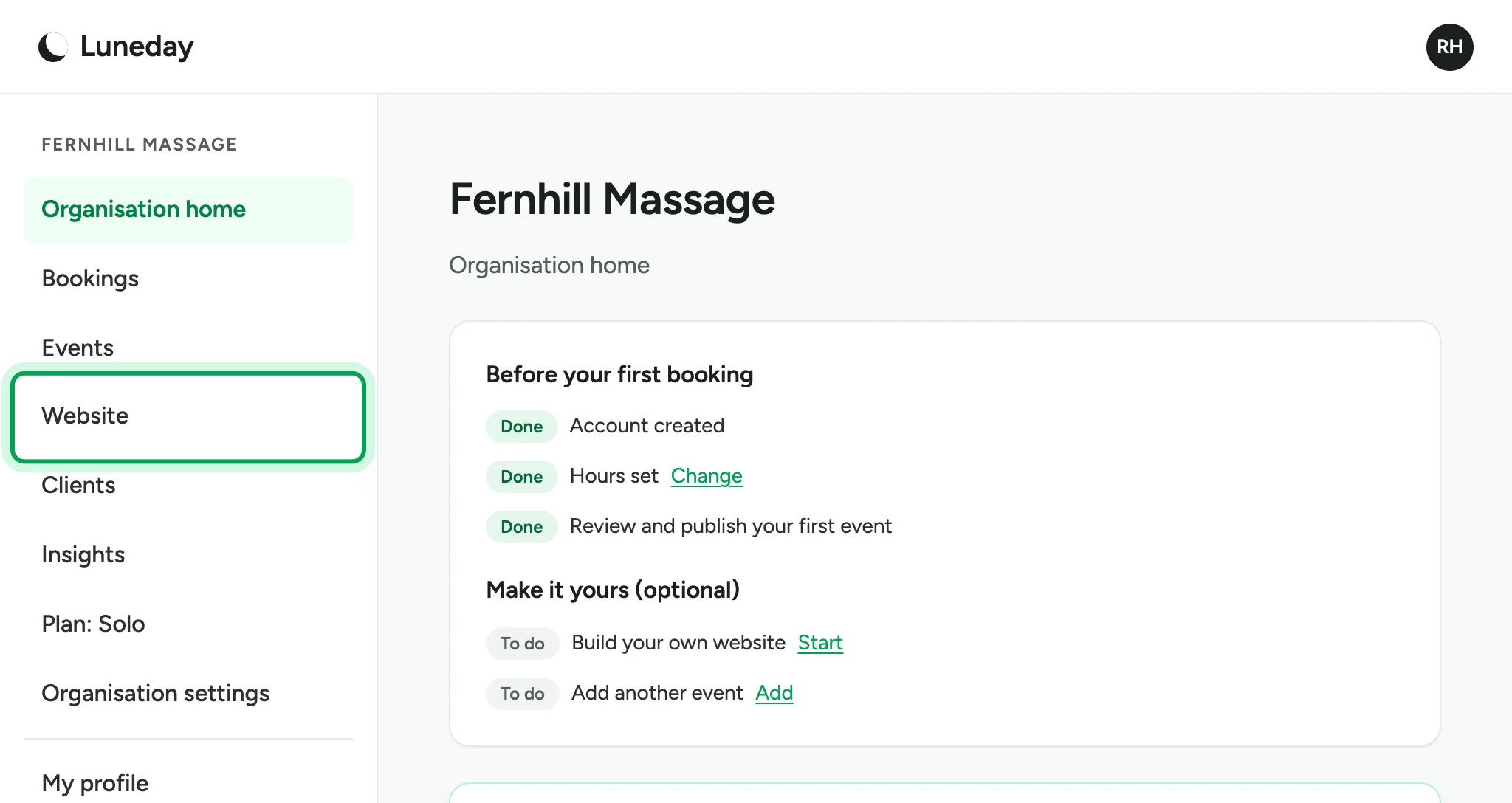
    The organisation home page, with Website ringed in the menu.
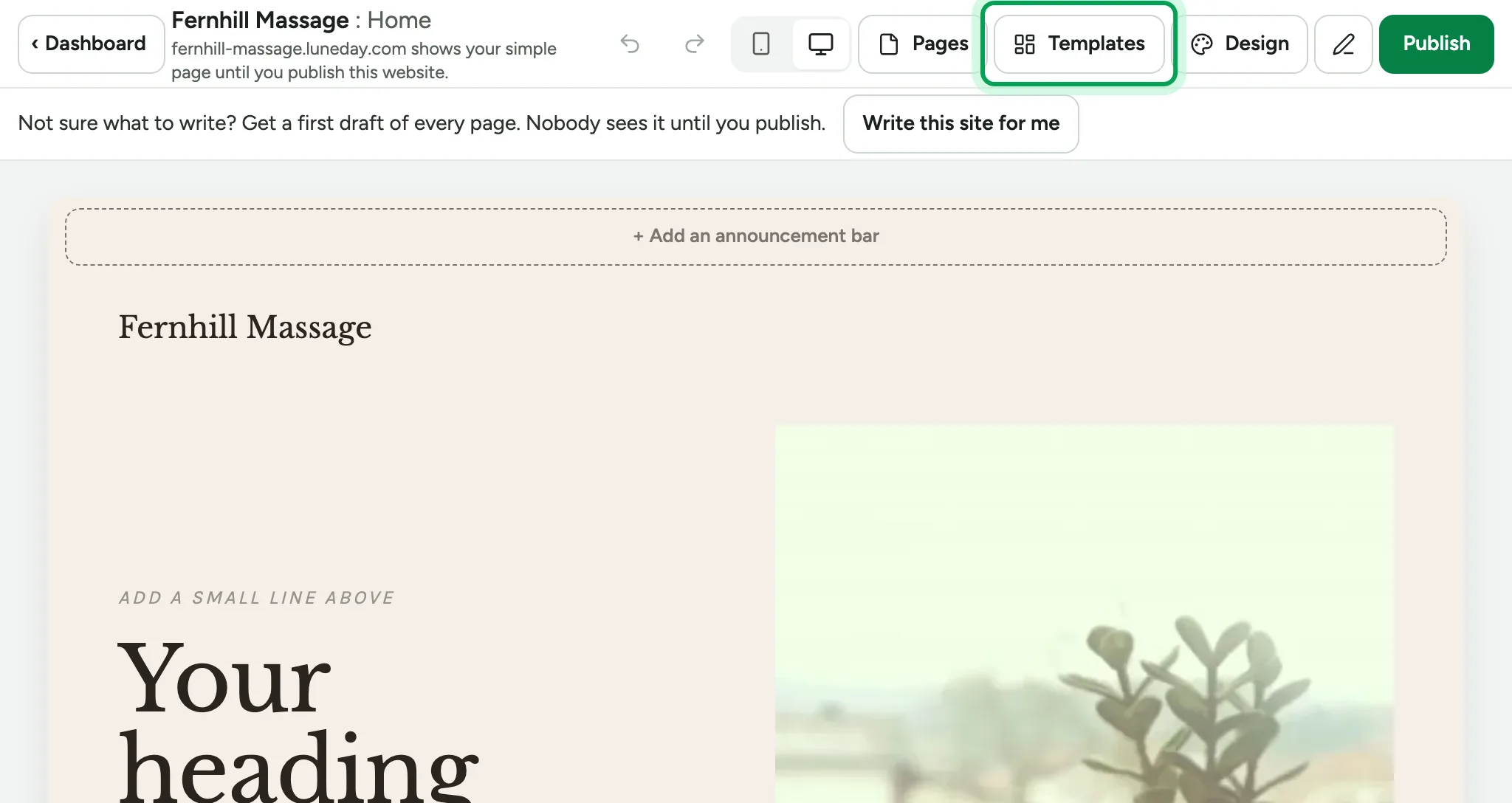
  3. Choose Templates to pick a design.

    The website editor showing the starting site, with Templates ringed in the top bar.
  4. Choose a template. Your words and photos come with you.
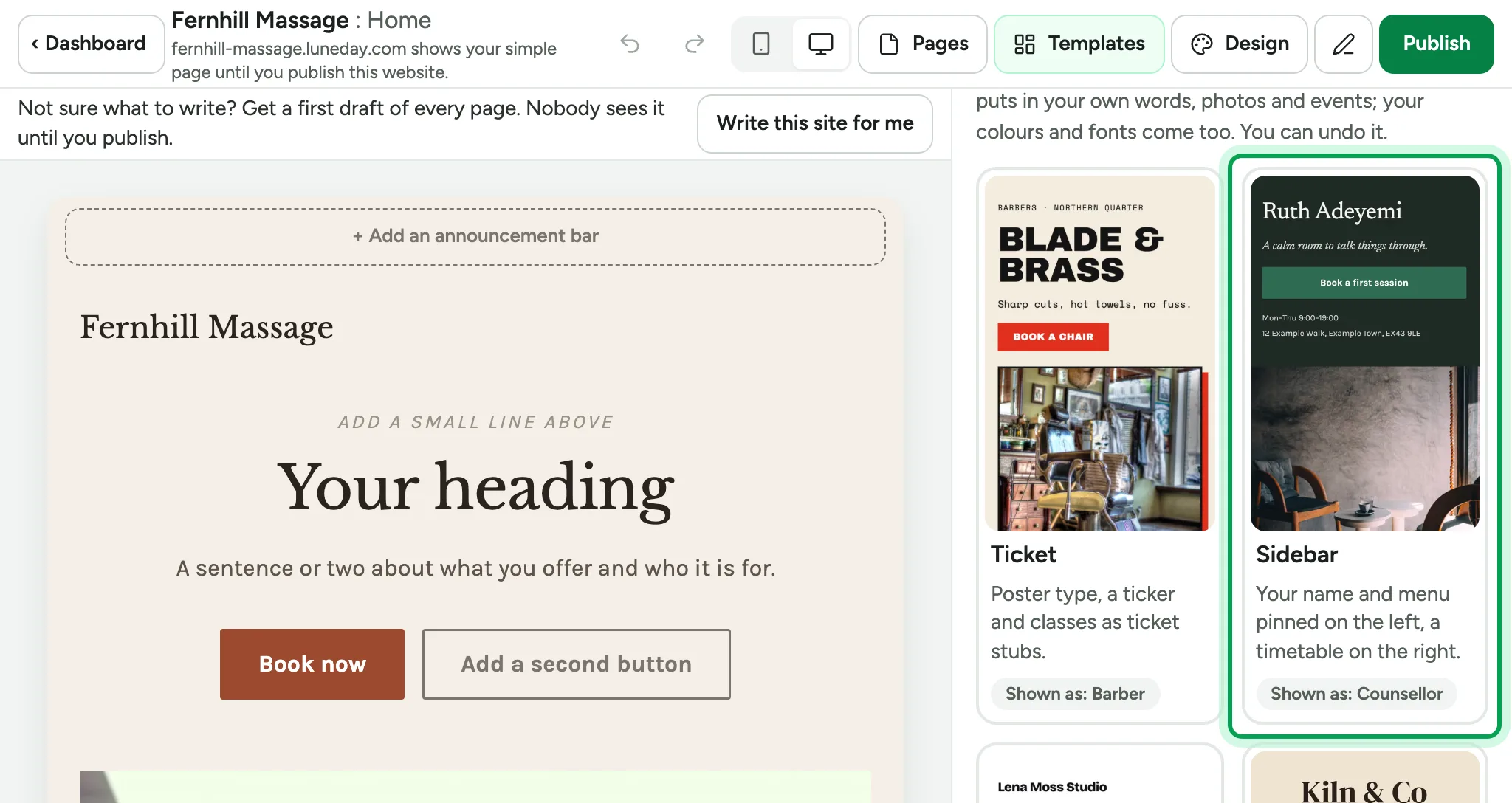
    The Templates panel, with the Sidebar template ringed beside the Ticket template.
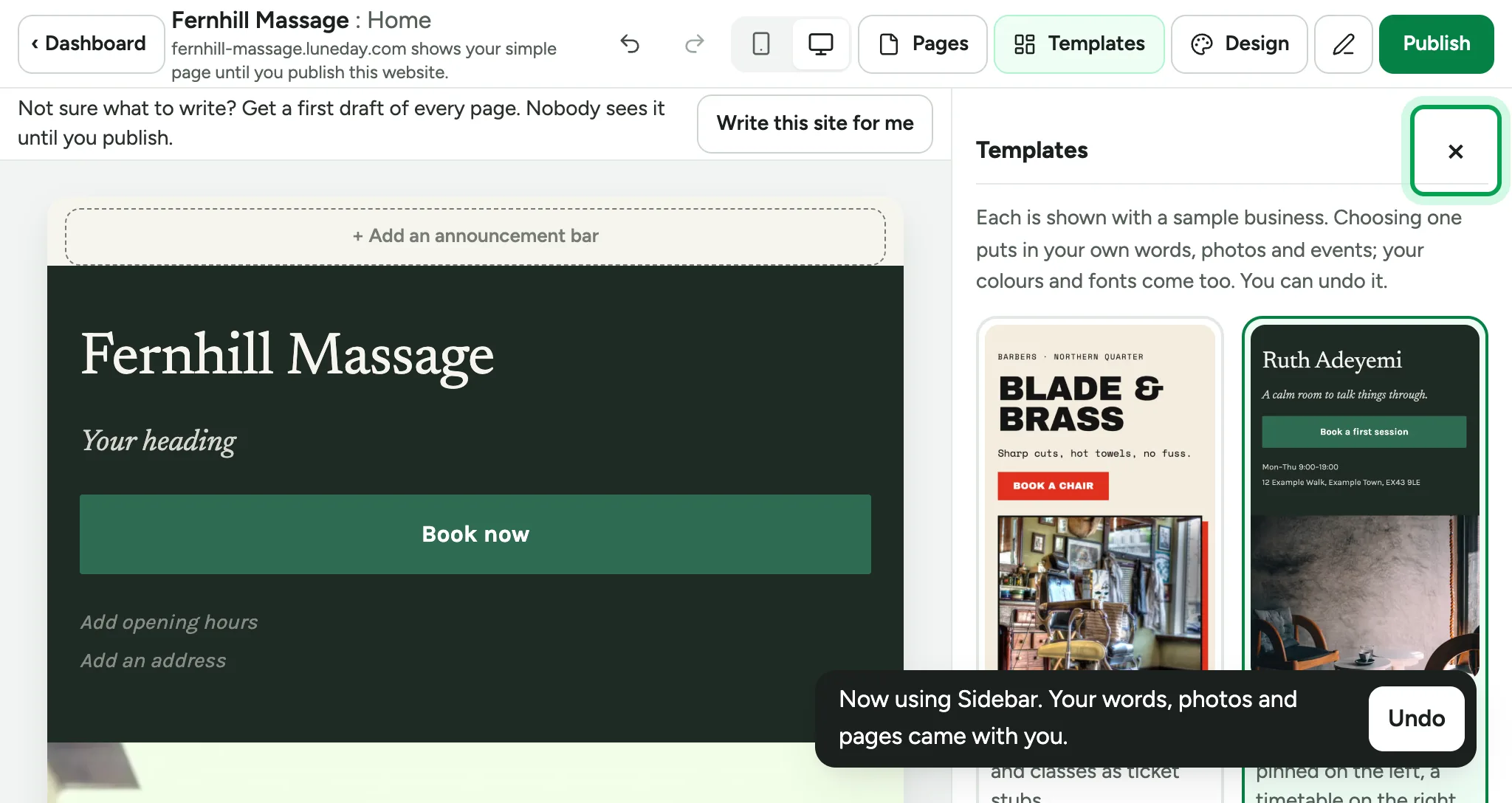
  5. Close the templates.

    The site in the Sidebar design, a note saying the words came along, and the panel's close button ringed.
  6. Choose a section to change its words.
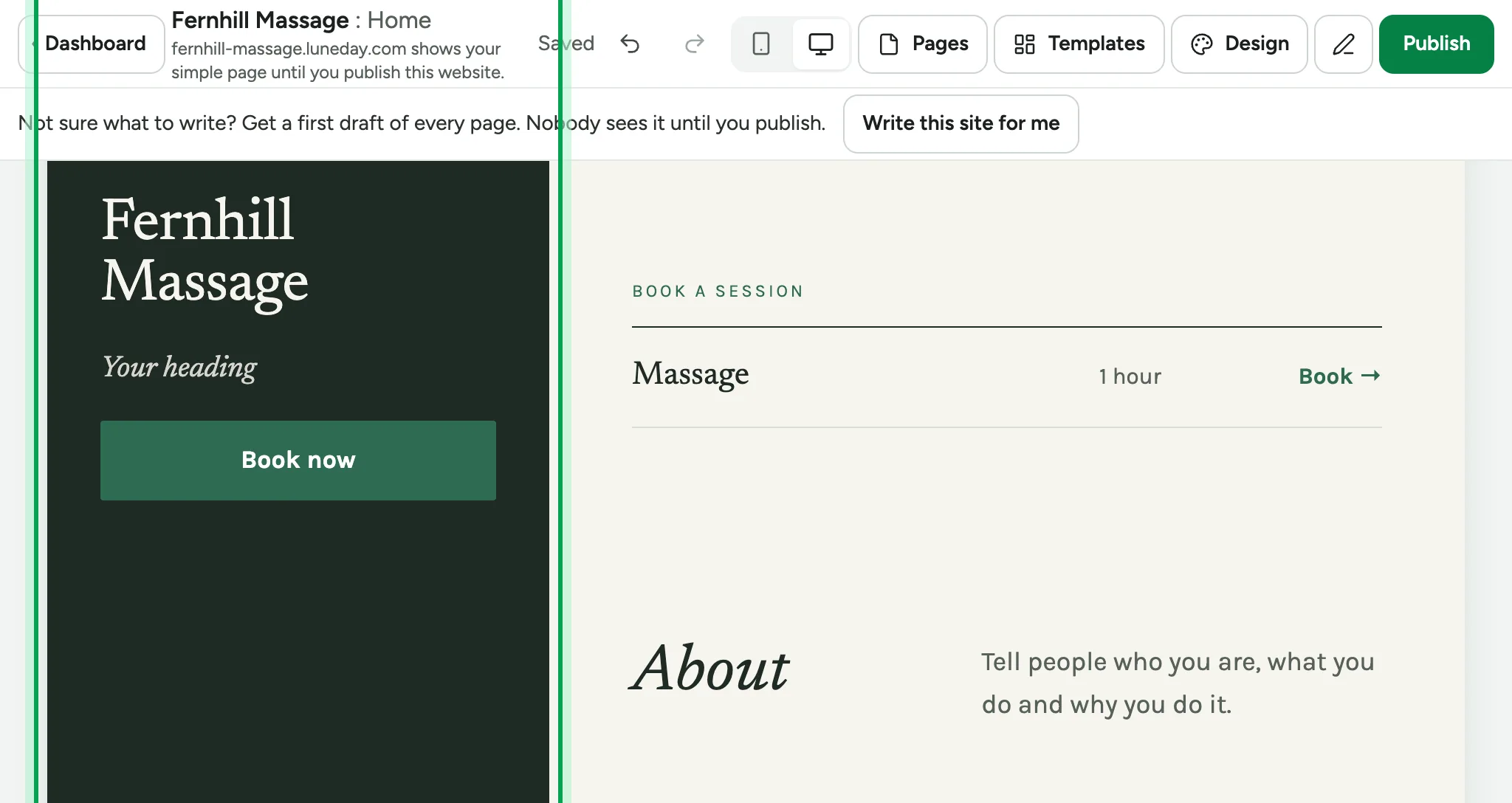
    The Sidebar site in the editor, scrolled down to Book a session and About, with its left column ringed.
  7. Under Line below the name, say what you offer.
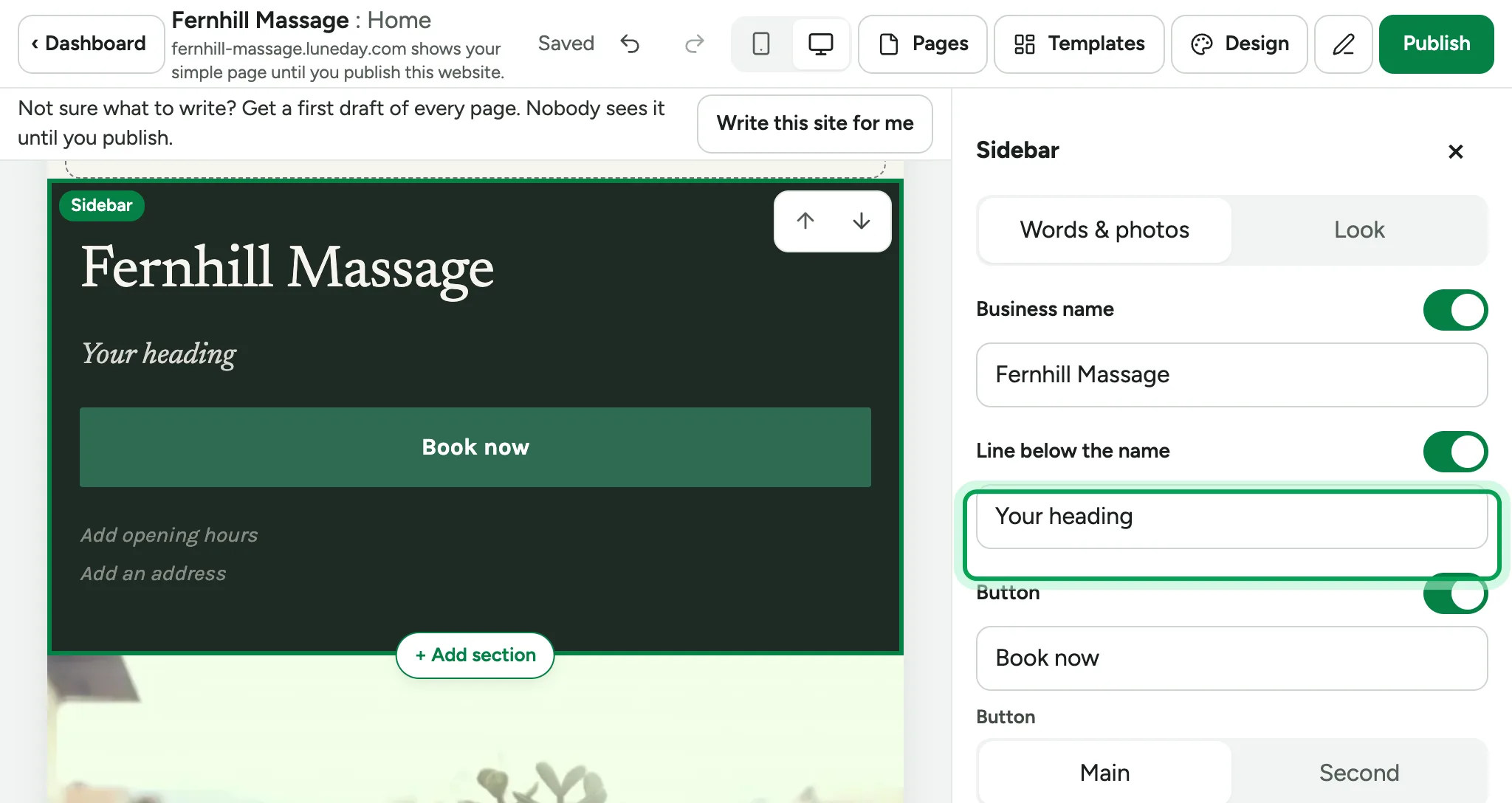
    The Sidebar section's Words & photos tab, with the Line below the name box ringed.
  8. Your changes save as you go. Nobody sees them until you publish.
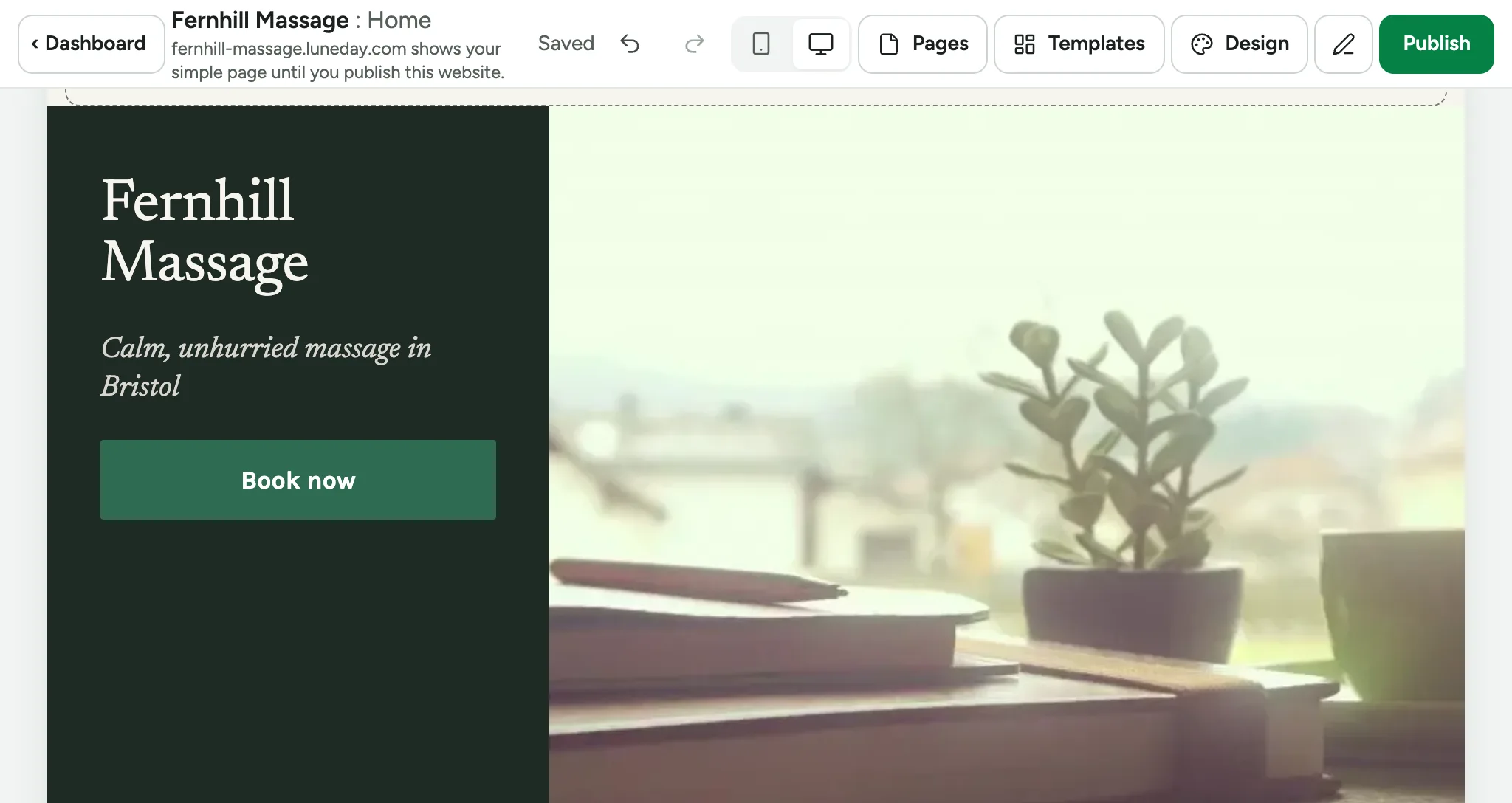
    The site's top section reading Calm, unhurried massage in Bristol, with Saved in the top bar.
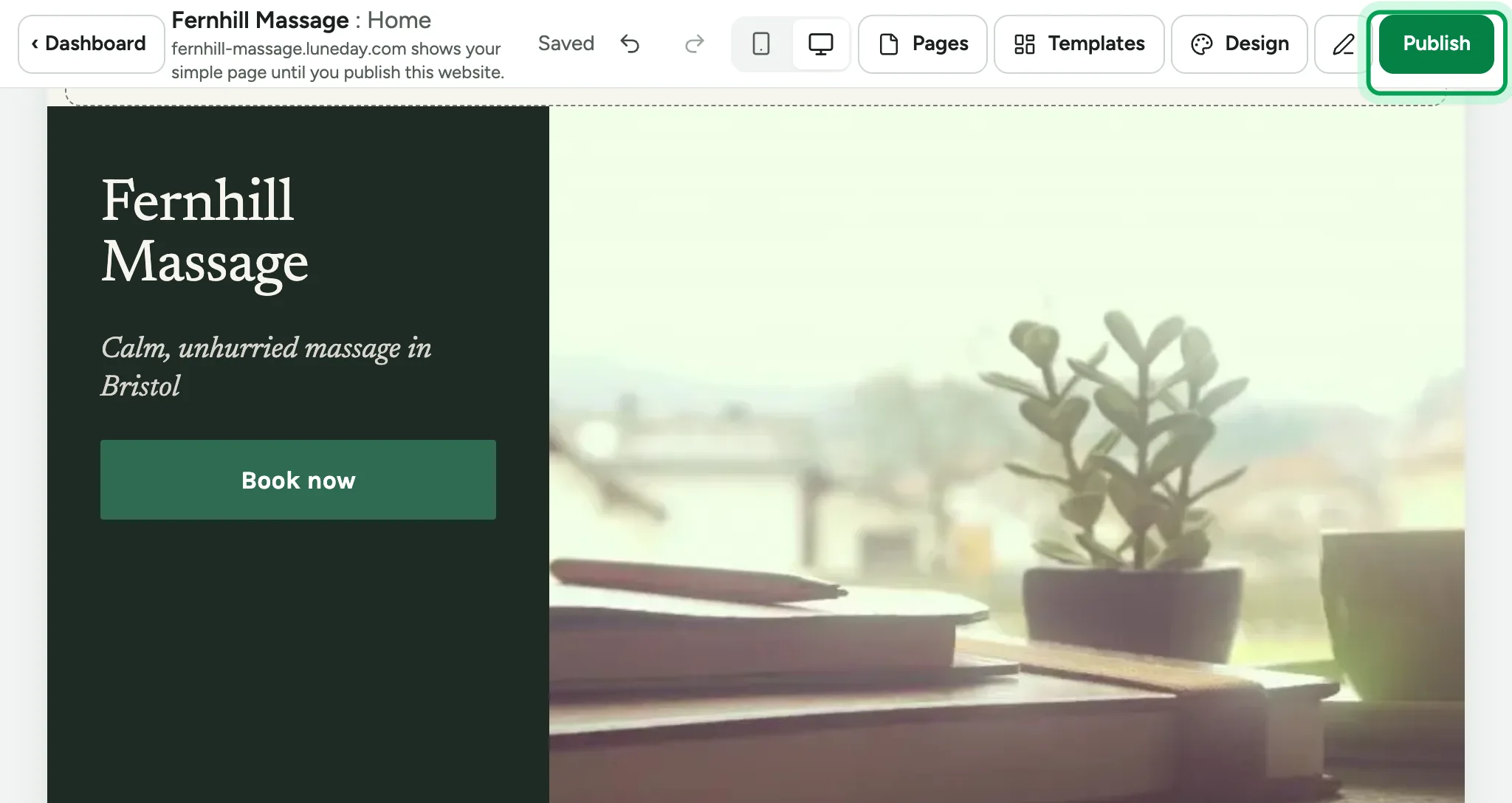
  9. Choose Publish.

    The finished top section in the editor, with Publish ringed at the top right.
  10. Luneday lists anything worth a look. None of it stops you publishing.
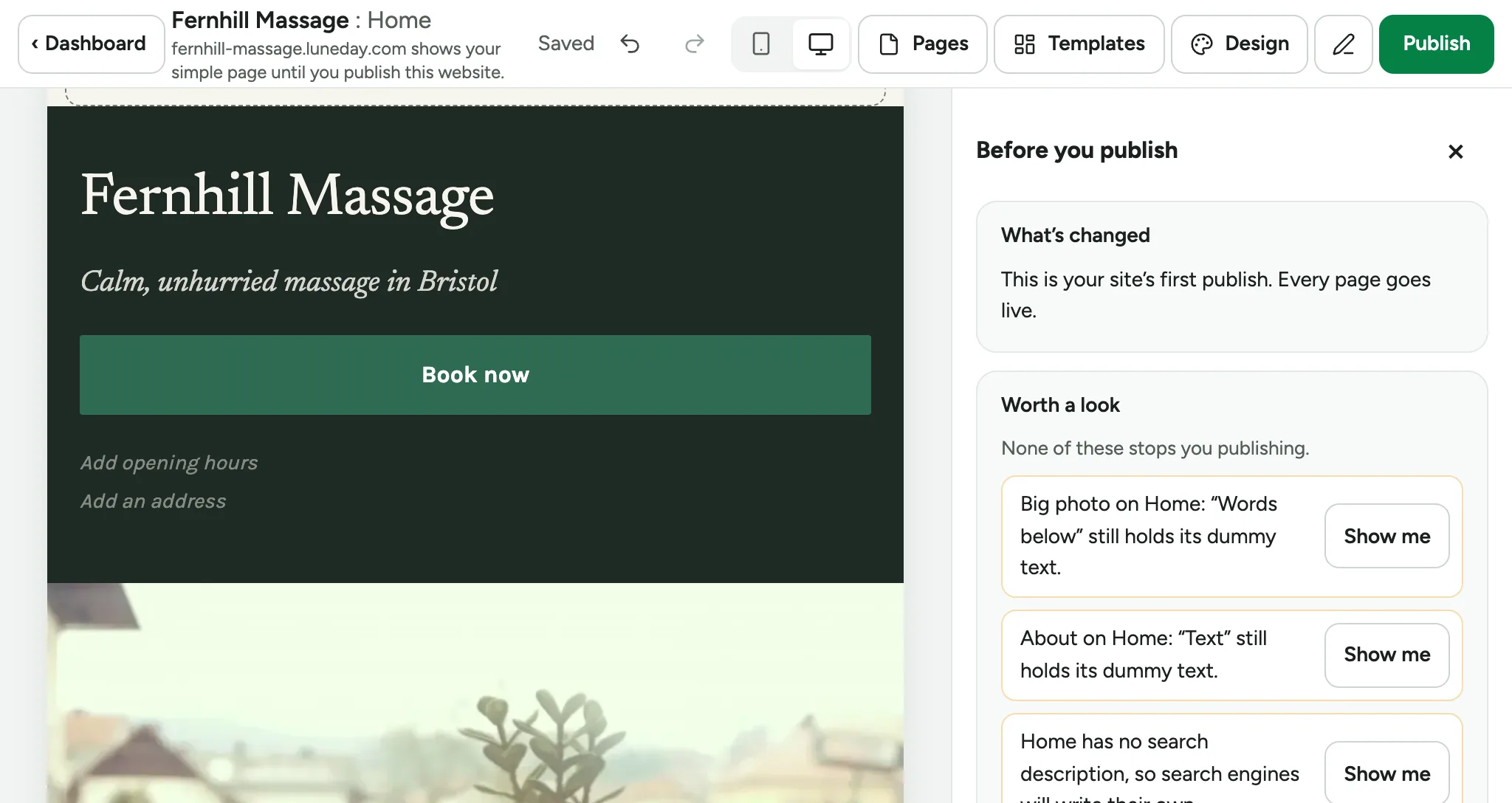
    The Before you publish panel, with a Worth a look list and a Show me button beside each item.
  11. Choose Publish anyway. To fix something first, choose Show me instead.
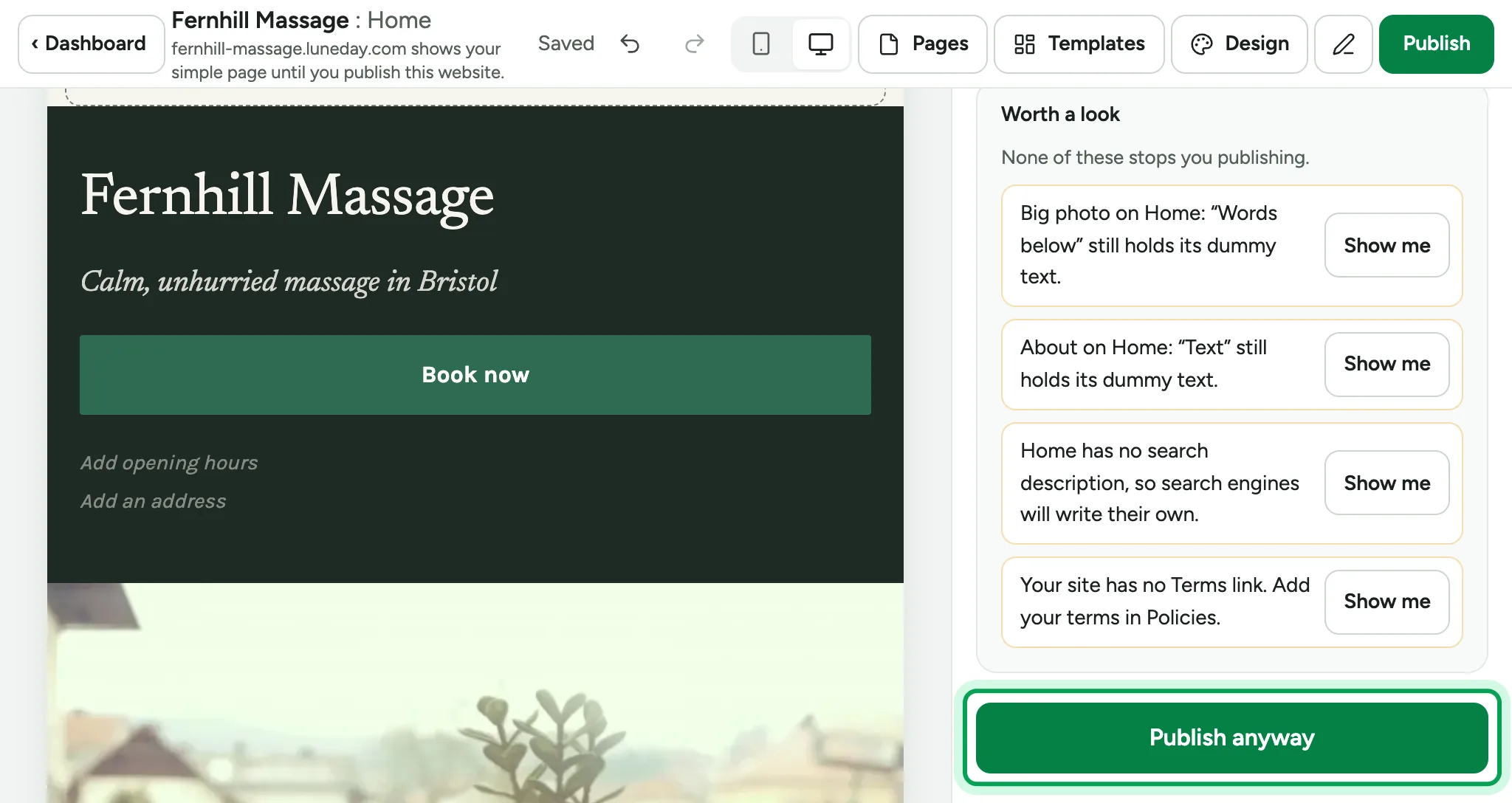
    The end of the Worth a look list, with Publish anyway ringed.
  12. Your site is live. Choose View your site.
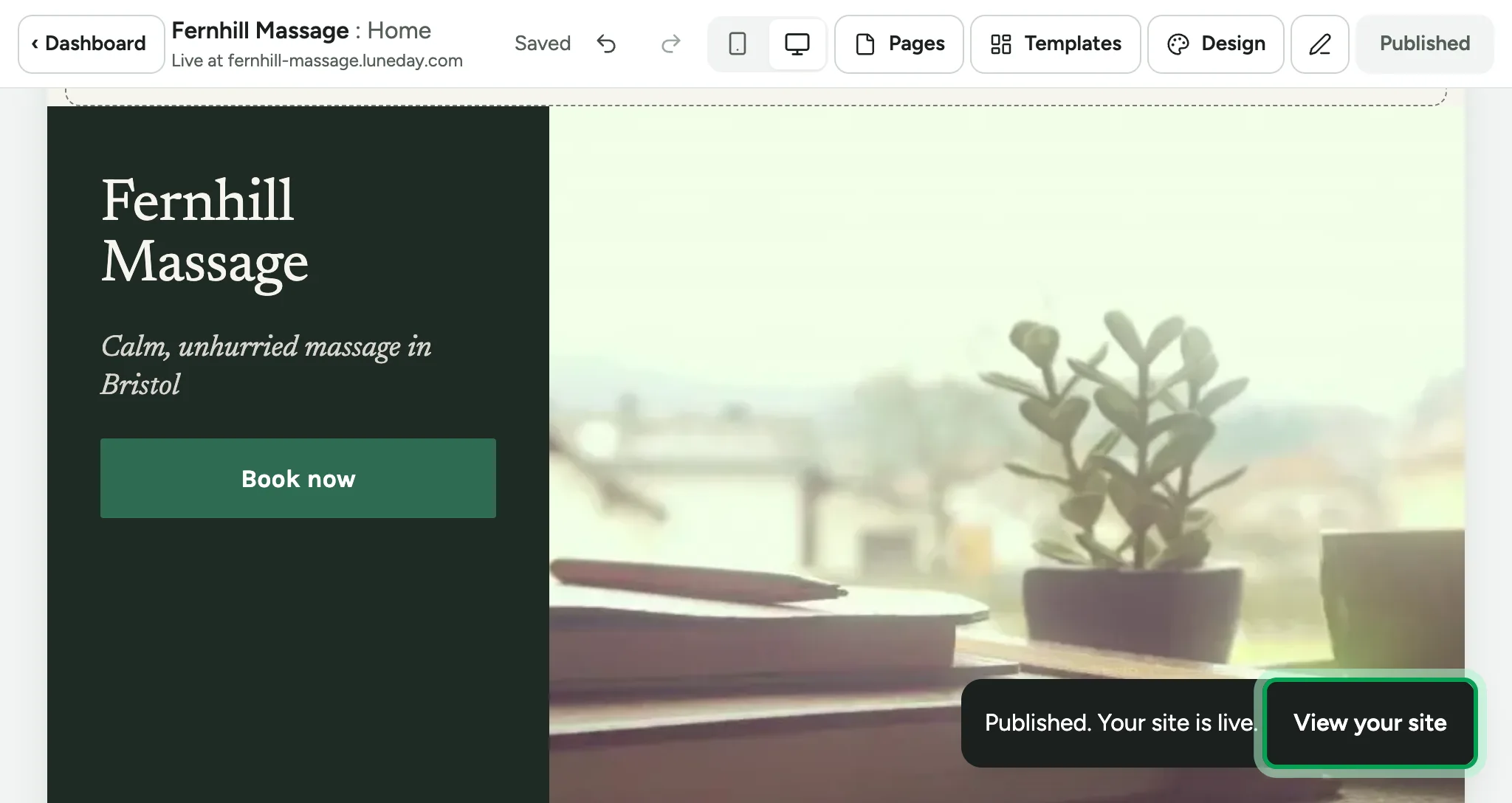
    A Published, your site is live message, with View your site ringed.
  13. Your website opens at your Luneday address.
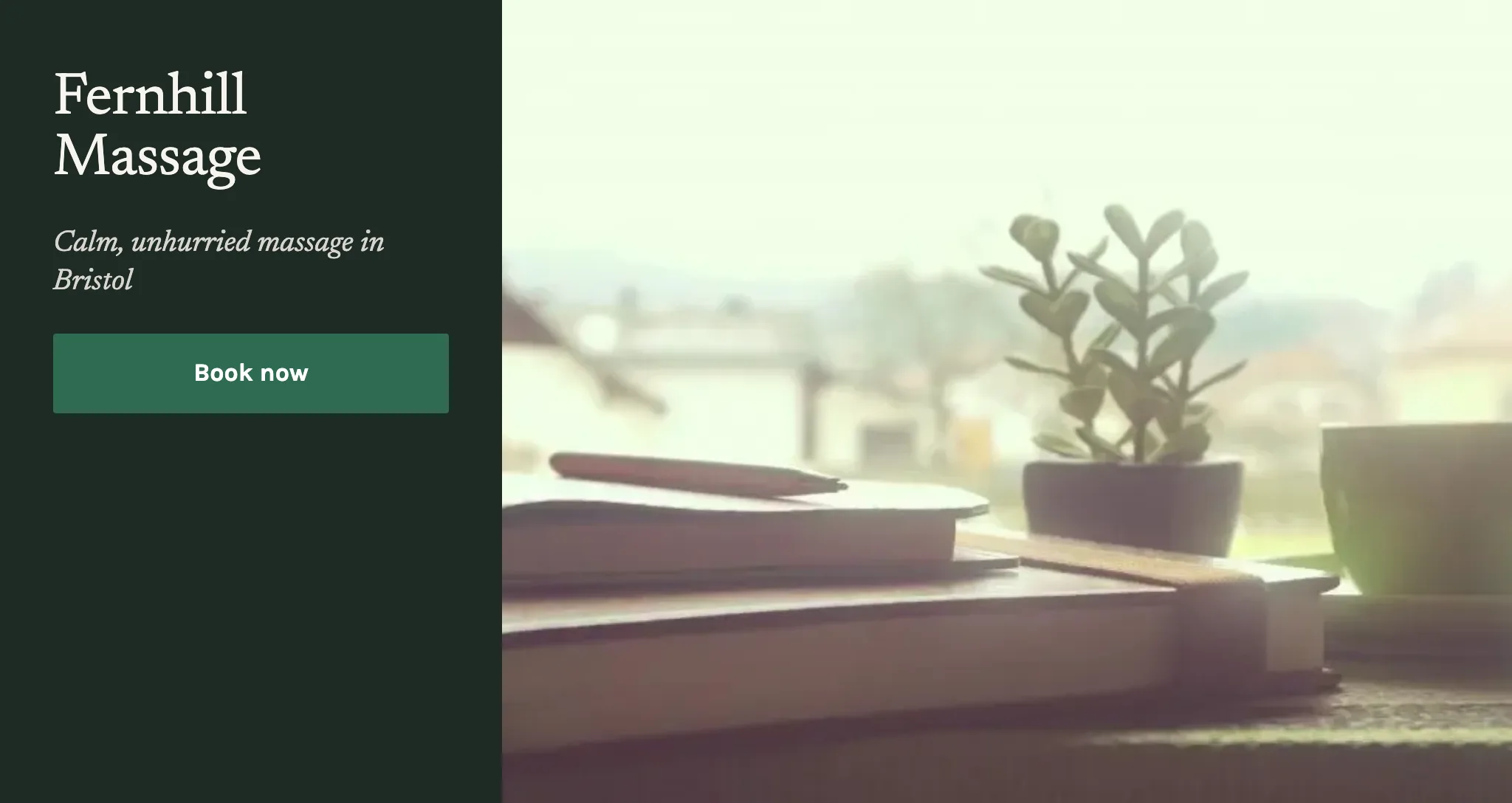
    The live Fernhill Massage site in the Sidebar design, with a Book now button.

Updated 15 November 2026.

Related: Use your own domain · Brand your booking pages

Still stuck? Email hello@luneday.com.